• About the module
  • Screenshots
  • Description
  • Files
  • Consultation and technical support
  • Characteristics
  • Reviews (0)
  • Install
  • Questions - answers

Uploading to Ukrainian marketplaces (like UniXML Pro) for OpenCart

UniXML is a single upload management center that covers 99% of eCommerce tasks.

0 reviews

Module version

7.7.1

Installation

Via the admin panel (ocmod.zip)

Compatibility

2.3, 3.0

PHP version

5.6-7.4

License

For 1 domain
Uploading to Ukrainian marketplaces (like UniXML Pro) for OpenCart
In Stock
  • 699 грн.
  • Your savings:

    200 грн.
  • Old price: 899 грн.
Domain

You are guaranteed to receive a key for test domains as well.

If you do not have a domain, then enter the test site address in that field, later we will change it for you free of charge!

Please indicate in this field a domain like site.com.ua (without https://, www).
Screenshots

Uploading to Ukrainian marketplaces (like UniXML Pro) for OpenCart
*** Внешний вид может немного отличаться от того, что на скриншотах ***

Description

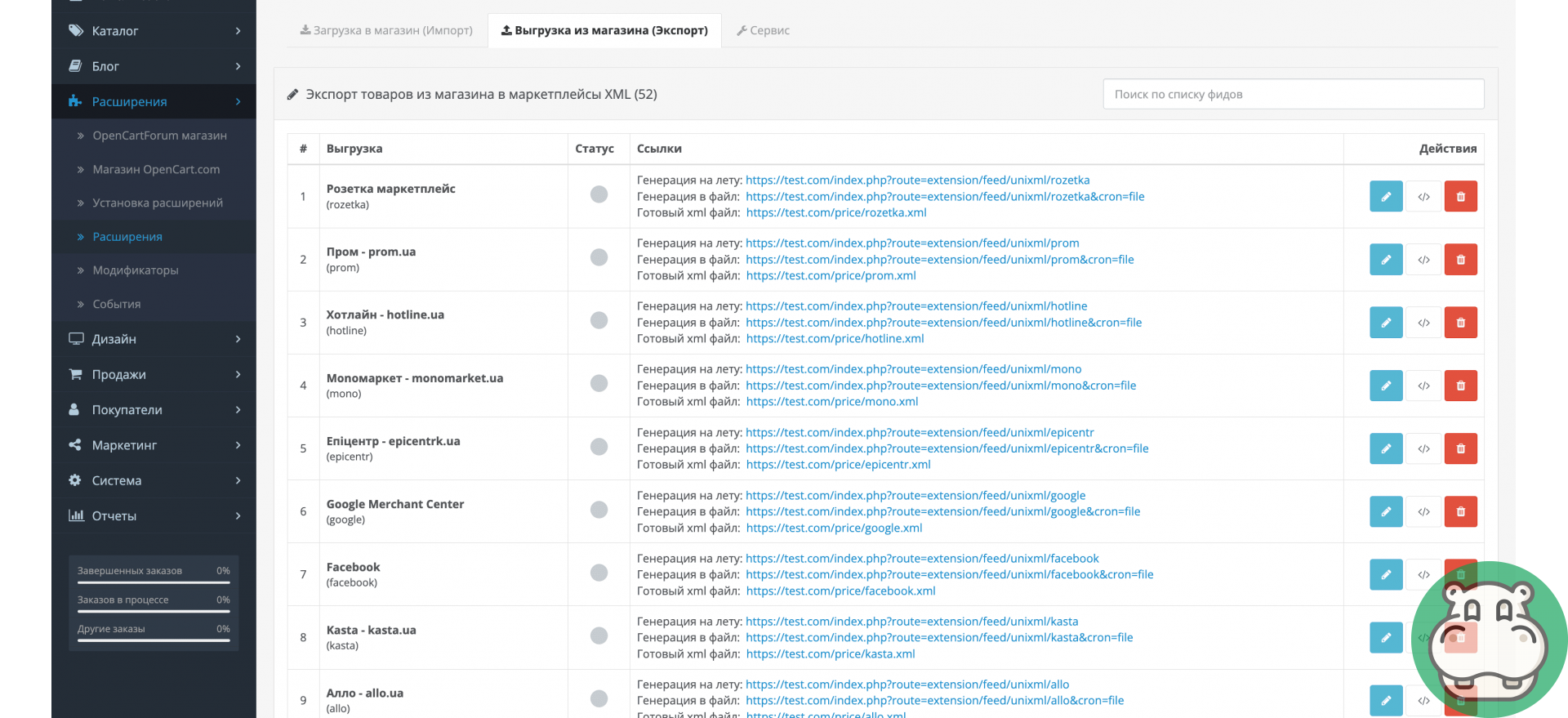
UniXML is a powerful module for online stores that increases sales through automatic integration with marketplaces and advertising platforms. Upload, update, and sync products across dozens of channels from a single interface .


Today, eCommerce has changed: marketplaces top search results. These are digital shopping centers where customers are ready to buy. UniXML allows your store to be where the demand is.


Export and feed management capabilities


Flexible and fast feed generation

  • Batch data fetching reduces server load
  • Setting the number of products per cycle (performance optimization)
  • Logging of downloads with full statistics


Convenient work with feeds

  • Adding, copying, deleting, and sorting feeds
  • Import and export all settings
  • Quick search and navigation by parameters
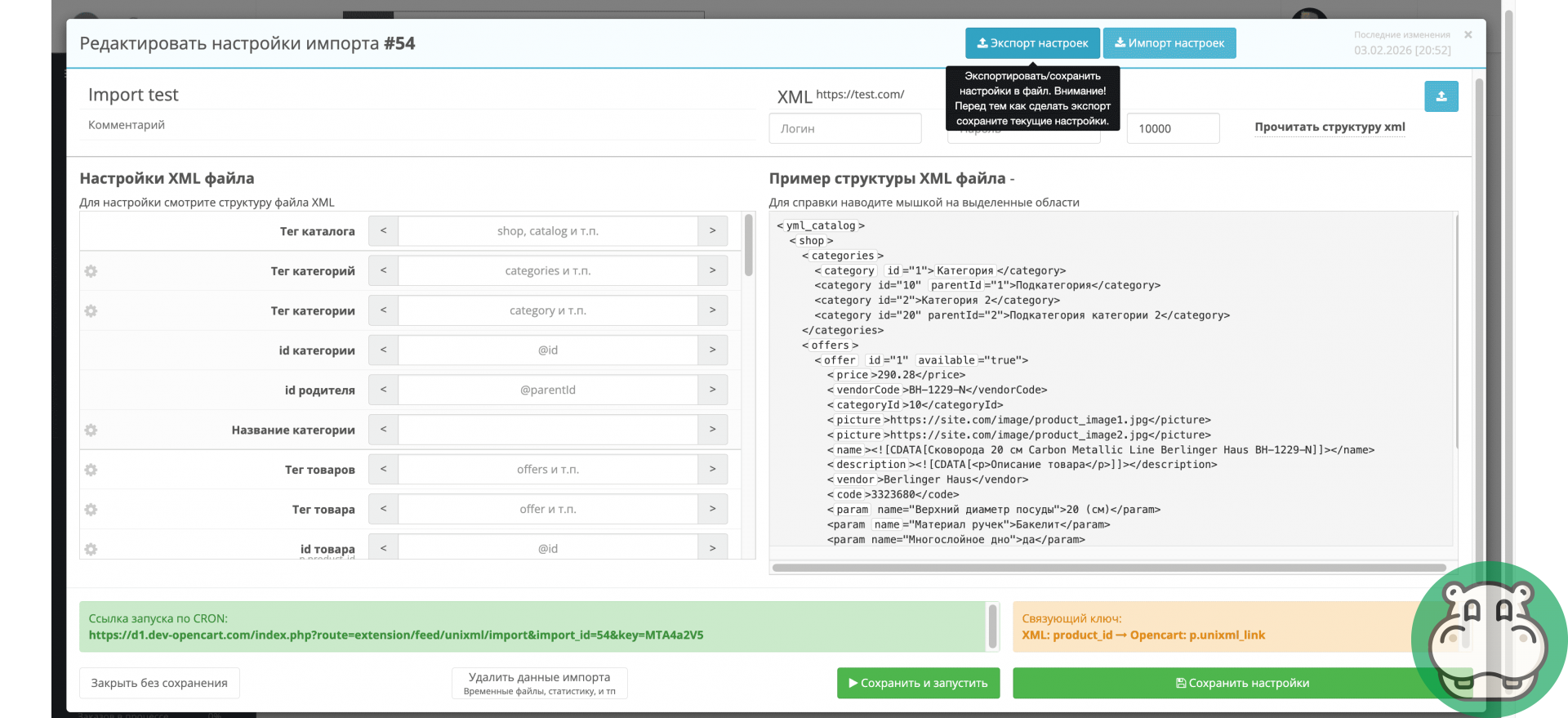
  • Direct XML editing directly in the admin panel


Maximum data customization

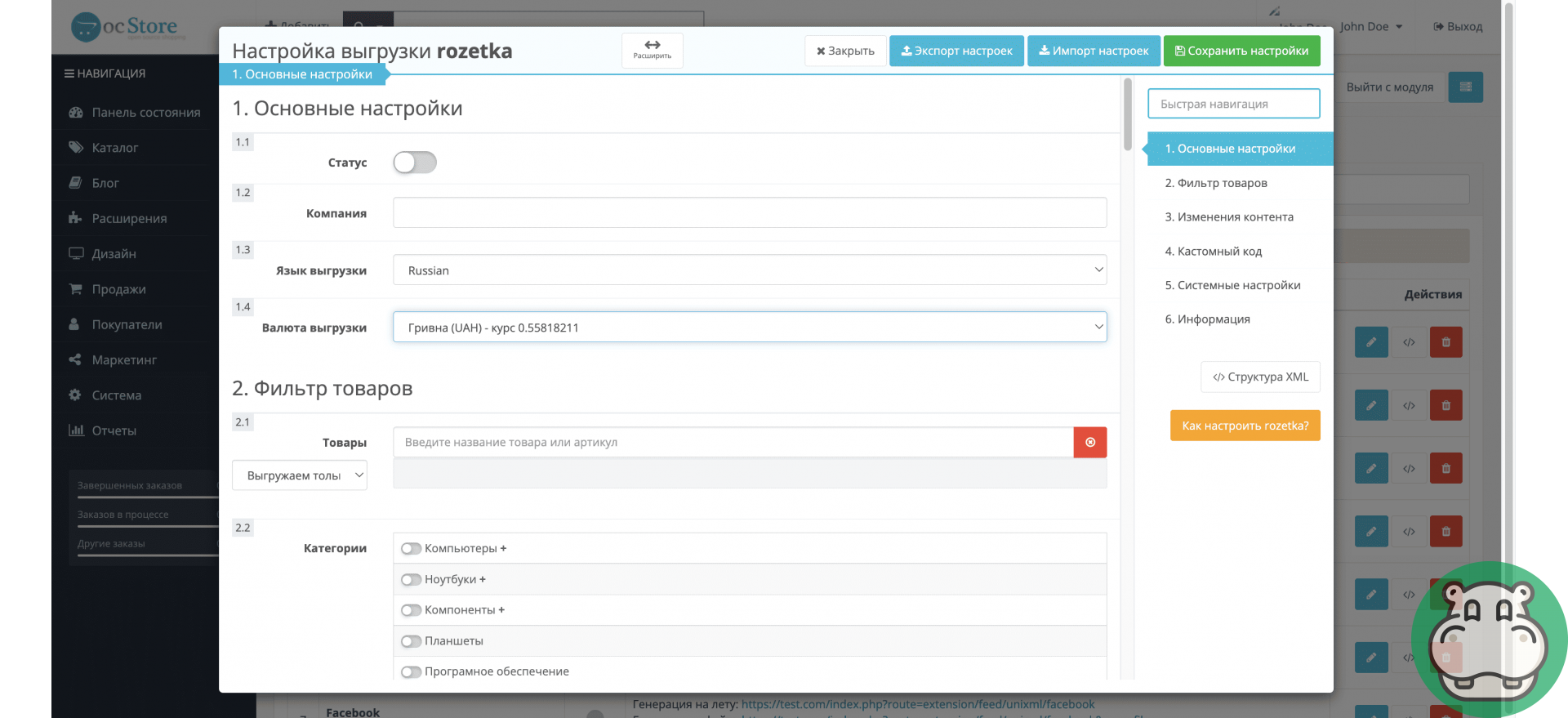
  • Selecting the download language and currency
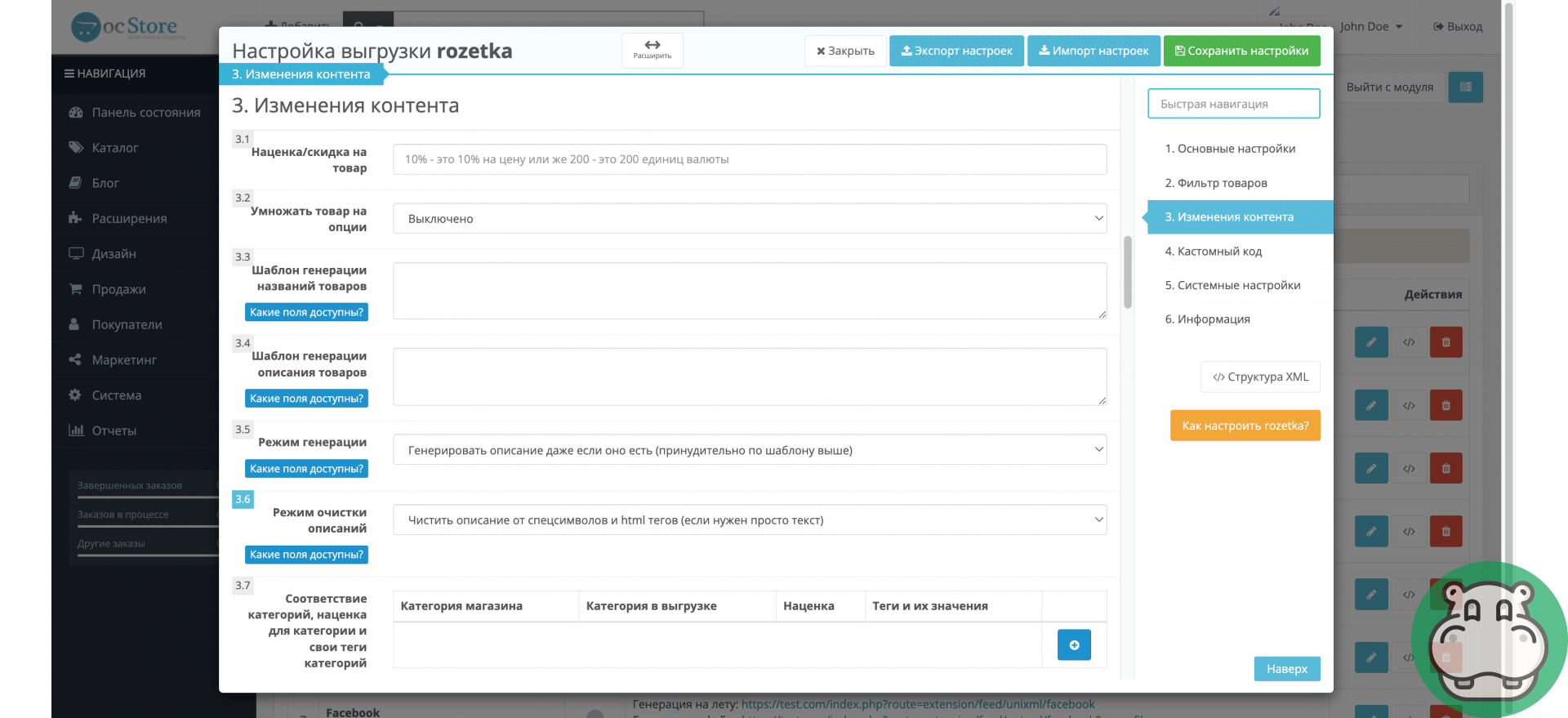
  • Generating titles and descriptions (templates + variables)
  • Description cleaning: original / partial / complete
  • Substitution of offer ID, price, and balance from any database fields


Flexible product filtering

  1. Selecting categories with full nesting
  2. Filter by brands (AND/OR logic)
  3. Managing inventory and items with 0 remaining
  4. Excluding items without photos
  5. Search and selection by any data (including ID)
  6. Adding "exceptions" and additional products


Prices, promotions and markups

  1. Global markup or discount: %, fixed, multiplied
  2. Separate markups by category
  3. Product groups with individual rules
  4. Preserving shares when the price changes


Options, Attributes, and Matches

  1. Multiplying products by options (color x size = individual offer)
  2. ID generation templates
  3. Matching store and marketplace categories
  4. Attribute matching (including paramcode/valuecode)
  5. Additional tags and parameters with any data


Replacements and custom logic

  1. Bulk replacements of values in: name, description, model / attributes and their values / links and photos
  2. Custom SQL selection conditions
  3. PHP code: after the database query, in the product processing cycle, after the feed generation


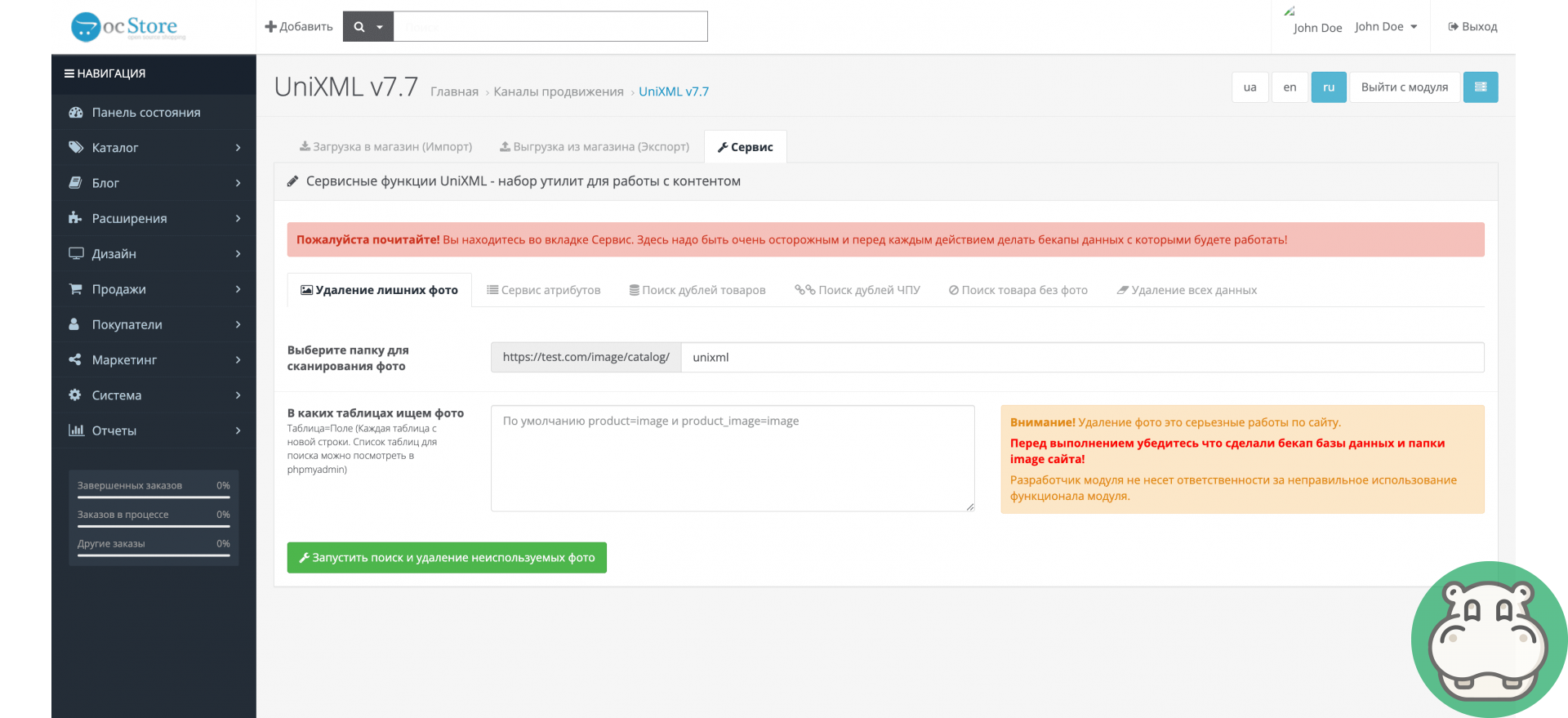
Photos and media

  1. Uploading additional images
  2. Automatic replacement of spaces and special characters
  3. Correct transfer of photos in XML


Automation and security

  • Direct feed generation and file generation
  • CRON command for automatic updates
  • Security key for a unique link
  • Custom XML file name


Supported marketplaces and services


UniXML supports 50+ feeds, including:

  • Rozetka, Prom.ua, Epicentr, Hotline
  • Google Merchant Center, Google RSS, Facebook
  • AliExpress, Kaspi, Halyk, Onliner
  • Price.ua, E-catalog, Bigl, Allo, F.ua
  • RetailCRM, eSputnik, Pinterest, Yandex YML
  • Heureka, Deal.by, RIA, Zakupka
  • Maudau, EVA, KASTA, Monomarket, hind.ee, and others

Consultation and technical support

You can contact our instant messengers or email from 09:00 to 20:00 (Mon-Sat).

Our messengers:

Specification

Requirements and indications
Module version 7.7.1
Installation Via the admin panel (ocmod.zip)
Compatibility 2.3, 3.0
PHP version 5.6-7.4
License For 1 domain
Author Begemod.com
Localization Ukrainian, Russian, English
Requirements ionCube

Reviews (0)

Write a review

Please rate:

You will receive 20 points for your review By leaving a review, you help others learn more about this add-on

Install

Install via admin panel

  1. Download the ***.ocmod.zip file after purchasing it from Begemod.com.
  2. In the admin panel, find the item "Extensions", then "Installing extensions", or "Modules", "Installing modifiers" ;
  3. Click the blue button labeled "Download";
  4. Select a pre-downloaded file (make sure it matches your Opencart version);
  5. After you see the message “Successfully installed” go to the “Add-on Manager” or “Modifiers” page and click the “Update” button (blue button, in the upper right corner); li>
  6. Additionally, do not forget to grant administrator rights (check the box in the administrators group).

Install via FTP

  1. After purchasing the add-on, download the archive with the module in your personal account;
  2. The archive usually contains: other archives, folders, text files with important information;
  3. Your task is to select the correct files in the main archive for your CMS version and Php version;
  4. Upload them to the root of the site (the structure of the files to be downloaded must match the structure of the site folder);
  5. Go to the "Add-on Manager" or "Modifiers" and click the "Update" button (blue, in the upper right corner);
  6. Check the boxes for administrator rights.

Installation by our specialists

Please confirm that you are not a robot!

Check

Installation cost:

299 грн. Sometimes the price may increase due to installation conditions and the condition of your site.

Request processing usually takes up to 30 minutes.

Questions - answers

What is UniXML and what is it used for?

UniXML is a tool for automatically uploading and synchronizing online store products with marketplaces, advertising platforms, and price comparison services. It helps increase sales and traffic by increasing your store's presence on popular channels.

Which marketplaces and services does UniXML work with?

UniXML supports over 50 platforms, including Rozetka, Prom.ua, Epicentr, Google Merchant Center, Facebook, AliExpress, Hotline, Kaspi, Onliner, Price.ua, E-katalog, and other popular marketplaces and aggregators.

Is it possible to flexibly configure the unloading of goods?

Yes. In UniXML, you can select categories, brands, specific products, manage availability, exclude products without photos, set AND/OR logic, and add additional products that don't meet other criteria.

Does UniXML support markups, discounts, and promotions?

Yes. You can set global and category markups, discounts as percentages or fixed values, create product groups with different pricing rules, and preserve promotions when changing prices.

Is it possible to customize the structure of the XML feed?

Yes. The admin panel allows direct XML editing, template-based title and description generation, category and attribute matching, value replacement, and the use of custom code for advanced data refinement.

How does UniXML affect server performance?

UniXML uses batch data retrieval and allows for customizing the number of products per cycle. This reduces server load and ensures stable operation even with large product catalogs.

Is it possible to automate feed updates?

Yes. The module includes links for direct generation, file generation, an XML file for marketplaces, and a CRON command, allowing for fully automated product updates.

After installation "Uploading to Ukrainian marketplaces (like UniXML Pro) for OpenCart" Error 500 (Internal Server Error!) appeared

Error 500 is due to problems with the php code on your site. To fix it, you first need to enable error output. To do this, do:


  1. In the admin panel, go to SystemToolsError Log. Errors will be indicated there, but if there are none, then you need to enable their display SystemSettingsServerRecord errorsYes.
  2. The most reliable way to show errors in PHP code is to include error through the .htaccess file in the root of the site. At the very beginning of the file, add a few lines: php_flag display_errors on
    php_value error_reporting -1

This directory is not writable!

If this message appears when installing the module through the admin panel, then you do not have the fix for FTP (Localcopy) installed:


  1. Install the localcopy.ocmod.xml modifier by downloading it from us here;
  2. Update modifiers;
  3. Proceed to install the required module again.

FTP must be enabled in settings!

This error appears when installing the module through the admin panel only on Opencart 2. You need to install the localcopy.ocmod.xml fix and enable FTP:


  1. Enable FTP in the SystemSettingsFTP settings and fill the config with any data;
  2. Install the localcopy.ocmod.xml modifier by downloading it from us here;
  3. Update modifiers;
  4. Proceed to install the required module again.

In this way, installing extensions through the admin panel will work, and data from FTP will be hidden from outsiders.

After installing the module, it is not listed in the admin panel

In this case, there may be several problems:


  1. Uploaded files to the wrong place;
  2. Your folder "Admin" has been renamed;
  3. The localization of the module and your site are different (in this case, the module name will be: heading_title)
  4. The files have not been downloaded;
  5. You are tired and do not see the module;

You see the location of the module title heading_title

This is because the language of your site differs from the translations in the module itself (most likely your admin panel is in Ukrainian, but this translation is missing in the module). What needs to be done?


  1. Upload the translation from the archive with the module (admin/language/en-gb or ru-ru) into the localization code that is active on your site (admin/language/uk- ua, for example);

Invalid file type!

Only modules in the archive ending in ocmid.zip can be installed through the admin panel.

With a 95% probability, you are installing a regular archive with files that need to be uploaded via FTP (instructions on how to do this are also above on this page).

The "Title" modifier already uses the unique ID code that you are trying to load!

You are installing a module or modifier that is already on your site. Check this fact carefully.

The upload folder in the module archive is empty

This is normal, it means that files are not required for this module to work. The entire function is performed by the modifier (install.xml)

Contacts

You can contact our instant messengers or email from 09:00 to 20:00 (Mon-Sat).

Our messengers

Technical support and consultation - free. Improvements to the site, adaptation of modules - on a paid basis.
Begemod.com

Why do you need to join our chat?